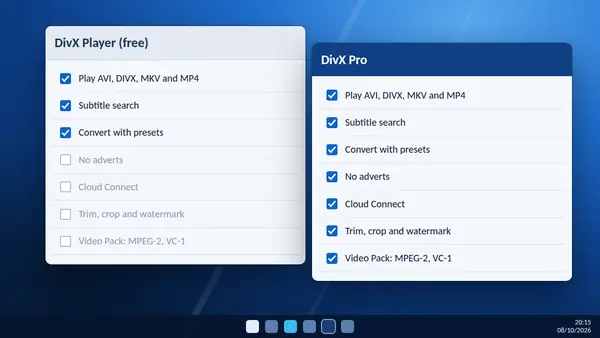
DivX Software is free to download and use. DivX Pro is a paid upgrade to the same application. The free version is enough for most people, so it is worth knowing exactly what the upgrade changes before you pay for it.
What the free version includes
- DivX Player for AVI, DIVX, MKV and MP4 video up to 4K, and 360-degree video.
- Subtitle search in more than 50 languages, with font, size and colour settings.
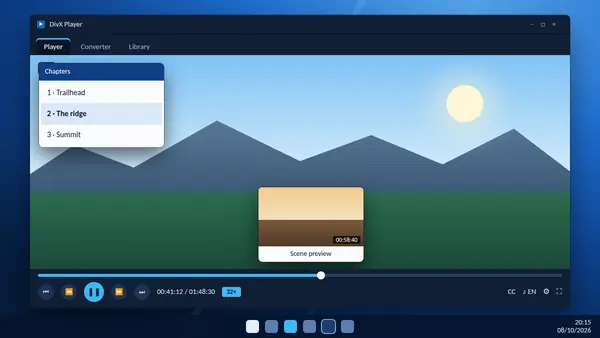
- Fast-forward and rewind up to 32 times speed, frame-by-frame stepping and scene thumbnails.
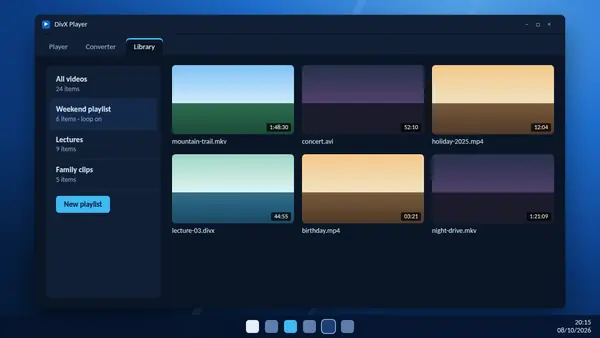
- A media library with playlists.
- DivX Converter with drag-and-drop conversion to MP4 and DivX profiles.
- Direct posting of converted videos to YouTube and Google Photos.
The free version shows adverts inside the program.
What DivX Pro adds
- No adverts anywhere in the software.
- Cloud Connect: upload to Google Drive or Dropbox, and on Windows import videos from them.
- Video Pack: convert unencrypted MPEG-2 and VC-1 video, for example personal backups of DVDs and Blu-ray discs.
- Basic editing: trim the beginning or end of a video, crop the picture and add a custom watermark before converting.
- Advanced encode settings: options such as B-frames and target quantizer for people who tune their conversions.
- Audio extras: surround-sound support and, on Windows, the DivX Audio Enhancer.
- HEVC optimisation for playing and converting on Windows.
Side by side
| Free | DivX Pro | |
|---|---|---|
| Play AVI, DIVX, MKV, MP4 up to 4K | Yes | Yes |
| Subtitle search | Yes | Yes |
| Convert to MP4 | Yes | Yes |
| Adverts | Shown | None |
| Google Drive and Dropbox | No | Yes |
| Trim, crop and watermark | No | Yes |
| MPEG-2 and VC-1 conversion | No | Yes |
Who should stay with free
If you mainly watch videos, add subtitles and occasionally convert a file to MP4, the free version covers it. The adverts are the main cost.
Who gets value from Pro
Pro makes sense if you convert often, want to trim clips before sharing, keep your videos in cloud storage, or are digitising a shelf of your own discs. It also suits anyone who simply wants the adverts gone.
How to upgrade
Buy DivX Pro from the DivX website, then register the software with the details you receive. The upgrade unlocks features in the application you already have, so there is nothing to reinstall. Prices change, so check the DivX site for the current figure.