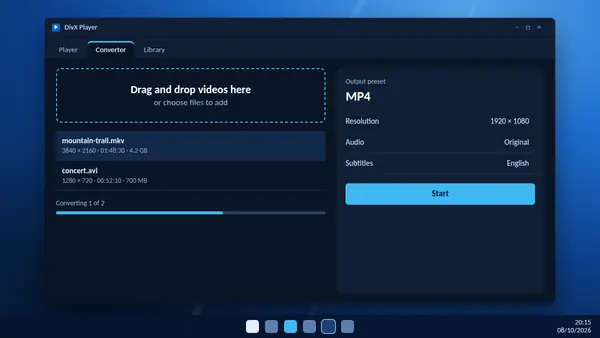
The same application that contains DivX Player also includes DivX Converter. It turns awkward video files into formats that play almost anywhere. MP4 is the usual target, because phones, tablets, televisions and websites all accept it.
The quick way
- Open DivX and switch to the converter.
- Drag your video onto the window. You can add several at once.
- Choose the MP4 preset from the list of output profiles.
- Check the output folder so that you know where the new file will go.
- Start the conversion and wait for the progress bar to finish.
From the library you can also use the Send to Converter button on a video, which saves a step.
Which preset to choose
- MP4: the safe choice for iPhones, iPads, Android devices and sharing online.
- DivX profiles: for DVD players, televisions and in-car systems that carry the DivX Certified mark.
- HEVC: smaller files at the same quality, for newer devices. Available in the Windows version.
Settings worth knowing
- Resolution limit: lower a 4K source to 1080p for a smaller file that still looks sharp on most screens.
- Bitrate and file size: set a bitrate or a maximum file size when the result must fit on a memory stick.
- Audio: pass the original audio through untouched, or choose an output format. A file can hold up to eight audio tracks.
- Subtitles: add SRT, ASS or SSA subtitle files so that they travel with the video.
- Rotate and combine: turn a sideways phone clip the right way up, or join several clips into one file.
- Custom presets: save a set of options to reuse next time.
Share straight from the converter
After converting you can post the file directly to YouTube or Google Photos. Uploading to Dropbox or Google Drive is part of DivX Pro.
What needs DivX Pro
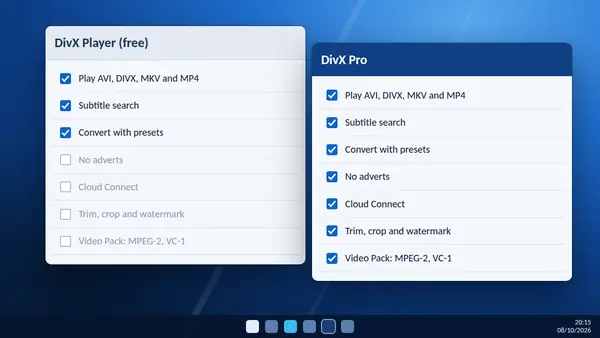
Trimming the start or end of a clip, cropping, adding a watermark, custom encode settings and converting MPEG-2 or VC-1 video from unencrypted discs are Pro features. Ordinary conversion to MP4 is free.
Bonus: photos
On Windows the converter also turns HEIC photos from an iPhone into JPG files that any program can open.
Keeping quality high
Every conversion loses a little detail, so convert from the original file and not from a copy that has already been converted. Do not raise the resolution above the source. It makes the file larger without adding detail.